 By Emily Parker
Updated November 2026
A Bluetooth audio codec changer APK is an Android app that tries to override which wireless audio codec your phone uses, such as SBC, AAC, aptX, or LDAC. It can only work if your phone’s hardware and Bluetooth stack already support the codec you pick. When a codec isn’t supported at the system level, no APK can add it, and sideloaded apps carry real security risks.
Why these apps often disappoint
Your phone and your headphones negotiate a codec during connection. The highest codec both sides support usually wins. A codec changer app does not create new hardware support. At most, it nudges the Bluetooth stack toward a codec that was already built in, and many Android versions block that change or quietly revert it. Owners often report that the app shows a new codec name while the actual stream stays on SBC.
Shopping for one? See our guide: Bluetooth Codec Changer Windows: 8 Best Picks for PC Audio (2026).
Some apps also rely on hidden developer settings or root access. Those methods vary by device, break after system updates, and can cause audio dropouts or pairing problems.
Factors that decide whether a codec change works
- Phone support: Check the codec list in Developer options under “Bluetooth Audio Codec.” Options that are greyed out are not supported by that phone.
- Headphone support: The headphones must also support the codec. Manufacturers list supported codecs in their specifications.
- Android version and vendor: Android 8 and later handle codec selection more reliably, and vendors such as Samsung add their own codec options.
- Root or permissions: Apps that require root or broad system permissions raise both the failure rate and the security risk.
What to do instead
- Open Settings, then About phone, and tap Build number seven times to enable Developer options.
- Go to Developer options and find Bluetooth Audio Codec. Note which codecs are selectable.
- Pair your headphones, then choose the highest-quality codec both devices support.
- If a codec you need is missing, check for a system update or a firmware update for the headphones.
- Avoid APKs from unknown sources. If you try one anyway, read recent reviews, check permissions, and scan the file before installing.
What we’d use
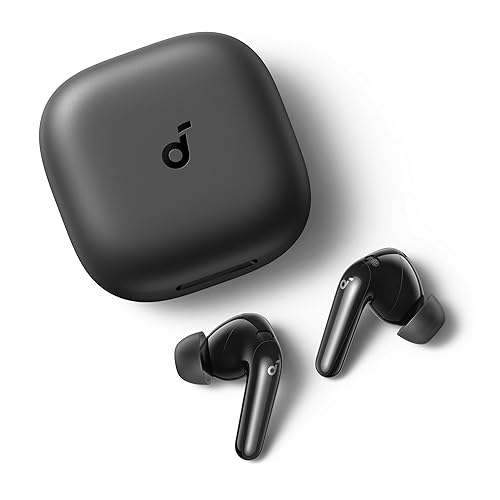
If your phone lacks a codec you want, a Bluetooth transmitter with that codec built in can make a better fix than an app. Look for a model that lists the codec you need. View on Amazon
For a computer or a device without codec controls, a dedicated USB Bluetooth adapter can give you codec options your built-in chip lacks. View on Amazon
FAQ
Are Bluetooth codec changer APKs safe to install?
Not reliably. Apps from outside official stores can request sensitive permissions and may contain malware. Use only well-reviewed apps from a trusted source, and never grant accessibility or root-level access you don’t understand.
Can an app add a codec my phone doesn’t support?
No. Codec support depends on the phone’s Bluetooth chip and software. An app can only select among codecs the system already provides.
How do I know which codec is actually in use?
Check Developer options for the active codec, or use a Bluetooth diagnostic tool that displays the current codec. A codec name shown in an app alone does not confirm the stream is using it.
Related reading
- Bluetooth Codec Changer Pro APK: 5 Best Picks Compared (2026)
- Bluetooth Codec Changer Mod APK: What It Does and How to Use It Safely
- Bluetooth Codec Changer APK Premium: What It Does and How to Use It Safely
- iPhone Bluetooth Audio Codec: What It Supports and How to Check (2026)
Ready to choose one?
About Emily Parker
Emily Parker is part of our editorial team and reviews and edits our headphone tech & types guides, checking product details against manufacturer specifications and owner feedback.